Camera blobs, contours and tracking
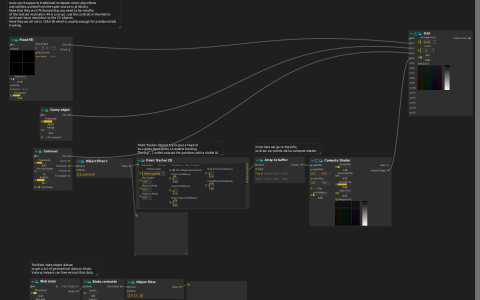
The Camera device at Camera:/ feeds Blob stats, Contours, Flood fill and Canny edges. Blobs centroids and Object filter convert blob data into XY pairs for Point2D View. Another Object filter extracts contour centroids and sends them to Point Tracker 2D. Its Positions output goes through Array to buffer to a compute shader that draws the tracked points.
Grid combines the original camera, flood fill, edges, contours and GPU point drawing at Window:/.
Try it
Select an available camera in the Camera device settings and grant capture permission where required. Start playback and move a high-contrast object against a simpler background. Tune Blob stats and Contours thresholds before changing Point Tracker settings. Compare a blob centroid with the contour-based tracked positions; these are separate branches, not two displays of the same output.
The analysis processes run on the CPU. Their texture inlets are configured for 128×128 input; retain a small analysis resolution instead of processing a full-resolution camera frame unnecessarily. The drawing branch requires compute-shader support. No recorded video file is included or needed.