Sh4lt
Sh4lt , is a Unix-oriented protocol for sharing data frames between applications easily. It is developped by the Lab148 coop, and is the successor of the Shmdata protocol originally developed at the SAT Metalab. Its integration in Ossia supports video frames sharing.
Thanks to it, score can easily send and receive video data from and to GStreamer, as well as other Sh4lt enabled software, such as the . Some other software integration are available here.
Compiling and installing Sh4lt
Sh4lts is already integrated in Ossia without extra installation. However, testing with GStreamer require to install the GStreamer Sh4lt element. It is available here. Score comes built-in with Sh4lt support only on Linux (Windows does not support the necessary Unix primitives).
Test that it works correctly with the gst-launch commands given in that Readme.
Using Sh4lt in score
Sh4lt can currently be used as a video input and output device. Simply create the devices you need, and set your video input / output to the Sh4lt device’s name.
These examples assume that the Sh4lt GStreamer plug-in is installed in /opt/sh4lt:
Sending data from GStreamer to score:
$ gst-launch-1.0 --gst-plugin-path=/opt/sh4lt videotestsrc pattern=snow ! queue ! videoconvert ! sh4ltsink label=to_score
Sending data from score to GStreamer:
$ gst-launch-1.0 --gst-plugin-path=/opt/sh4lt sh4ltsrc label=score_output ! videoconvert ! autovideosink
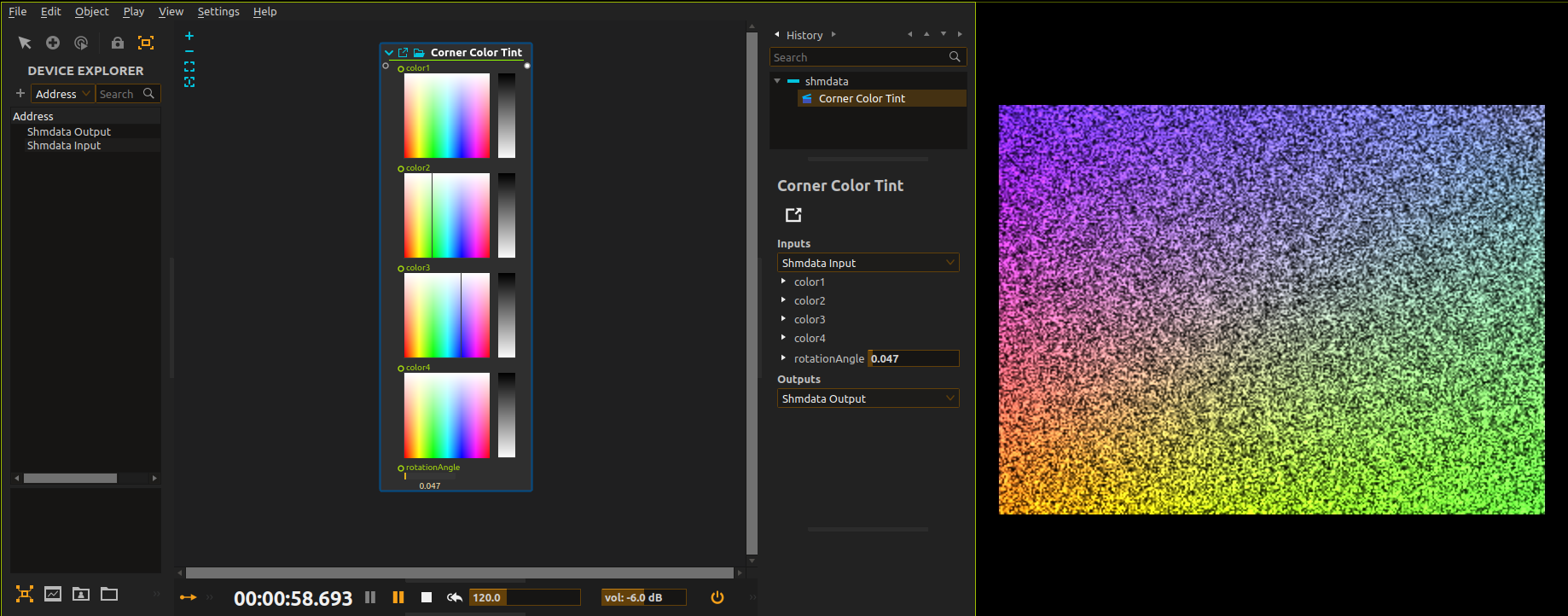
Here is a score that would process the input and write it to the output.
-
Input device (receives the GStreamer feed):

-
Output device (sends the feed to GStreamer):

-
The score and the GStreamer output which shows the processing done by score:
Recording score’s video output
Here is a GStreamer command-line which will encode the sh4lt output as .mkv with relatively low quality:
$ gst-launch-1.0 -e \
      sh4ltsrc label=score_output \
    ! queue \
    ! videoconvert \
    ! videorate \
    ! video/x-raw,framerate=60/1 \
    ! x264enc \
    ! matroskamux \
    ! filesink location=foo.mkv
Or as .mov encoded in Apple ProRes (warning: very, very CPU hungry):
$ gst-launch-1.0 -e \
      sh4ltsrc label=score_output \
    ! queue \
    ! videoconvert \
    ! videorate \
    ! video/x-raw,framerate=60/1 \
    ! avenc_prores_ks \
    ! qtmux \
    ! filesink location=foo.mov