MIDI output device
To send MIDI, select MIDI Output in the Protocols column of the Add device window.
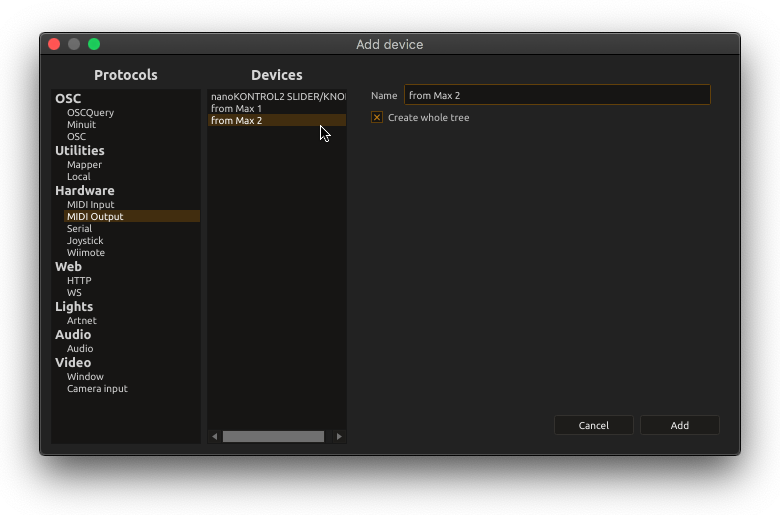
In the Devices column, select the desired output. The list groups hardware, software and network outputs and offers Default MIDI Out. The default selector chooses the first available output reported by the backend, not a guaranteed synthesizer. Select a named port when the destination matters.
Optionally, you can set a custom name (or use the default one).
On platform that support it (macOS and Linux), you can create a virtual MIDI device.
Routing and note-off policy
Assign the device to the MIDI outlet of a Piano roll, sequencer or MIDI process. The Create whole tree option exposes channel/message addresses when individual messages need to be sent from states or controls.
Note Off -> Velocity = 0 sends note-offs as zero-velocity note-on messages. It is off by default in newly created settings. Enable it only when the receiving device expects that representation; it is independent of the input device’s Velocity = 0 -> Note Off option.
When moving a document between machines or MIDI backends, score attempts to match the saved port against available ports. Check and, if necessary, edit the selected output before playback: device names and installed backends may differ.
MIDI Controller is the separate protocol for manufacturer/model device maps with named controls. Raw MIDI Output remains appropriate for note streams and devices without a description.