Signal Display
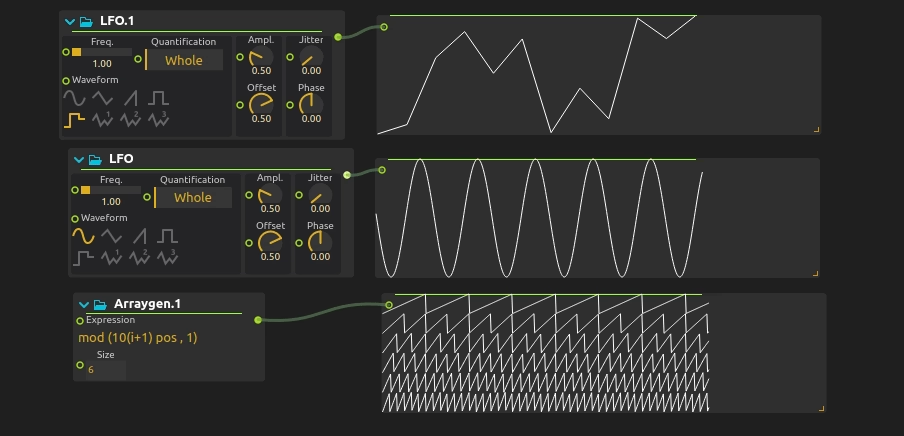
Visualize control signals in real-time for monitoring, debugging, and performance feedback. Signal Display shows you exactly what’s happening with your parameter data, making it easy to understand signal flow and troubleshoot issues.
Essential for understanding complex control systems, monitoring sensor inputs, or providing visual feedback during performances and installations.
Display range
Connect control values to in. By default, each plotted row scales to the minimum and maximum values it has received. Enable Fixed range and set Min / Max to compare signals against a stable scale, for example 0–1 for a normalized envelope or 0–127 for MIDI note values. Values beyond the fixed bounds are clipped to their row rather than changing the scale or drawing into another row. This changes the visualization, not the source data.
Related processes
score comes with multiple processes for monitoring input data LED View, Point2D View, Value display.
Try it!
Try it by downloading this simple example!