Piano roll
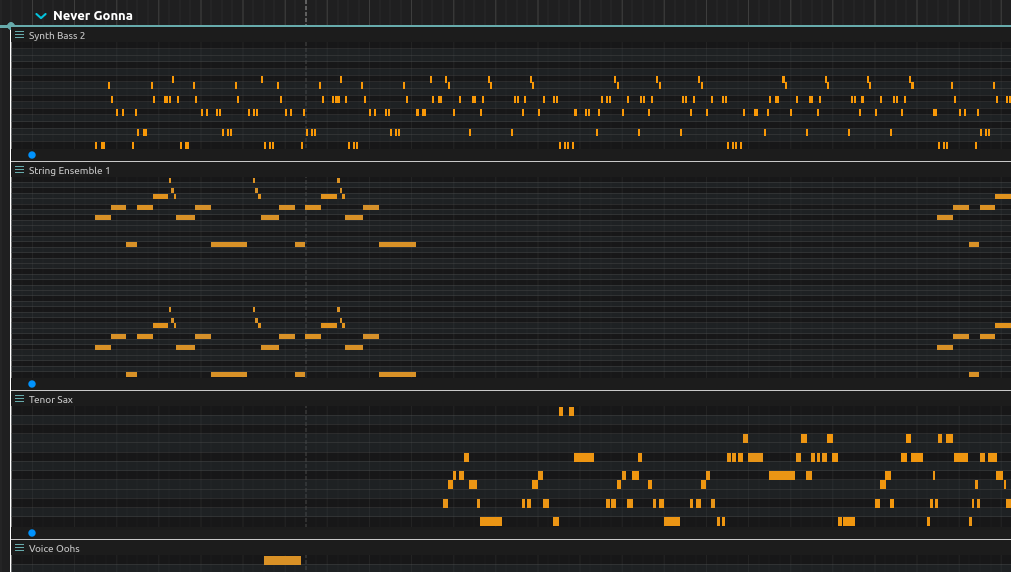
The piano roll allows to output MIDI notes according to a score.
MIDI files can be loaded by drag’n’drop, either on a scenario, interval, or on the piano roll process directly.
A MIDI file is placed by its beats, not by its duration in seconds: two bars of the file are two bars of the score, whatever tempo the file was saved at, and the score’s own tempo sets how fast they play. Dropped on an existing piano roll, the notes are placed the same way from its start.
Adding a note is done by double-clicking ; the note can be stretched with the mouse.
When dropping a MIDI file, if Shift is held, the tracks are put in sequence instead of in parallel.
Hold Shift while dragging a note to change its velocity; stronger saturation indicates higher velocity.
Selection and transposition
Select notes by clicking or drawing a selection rectangle. Hold Ctrl(Win / Linux) or⌘(Mac) when clicking to retain other selected notes. With the piano roll focused, Up and Down transpose selected notes by a semitone; Shift+Up and Shift+Down transpose by an octave. Transposition remains within MIDI’s 0–127 pitch range. Moving notes beyond the displayed pitch range expands that range.
Connect MIDI Out to an instrument process or a MIDI output device. The piano roll generates note messages, not audio.