Timeline and Patches
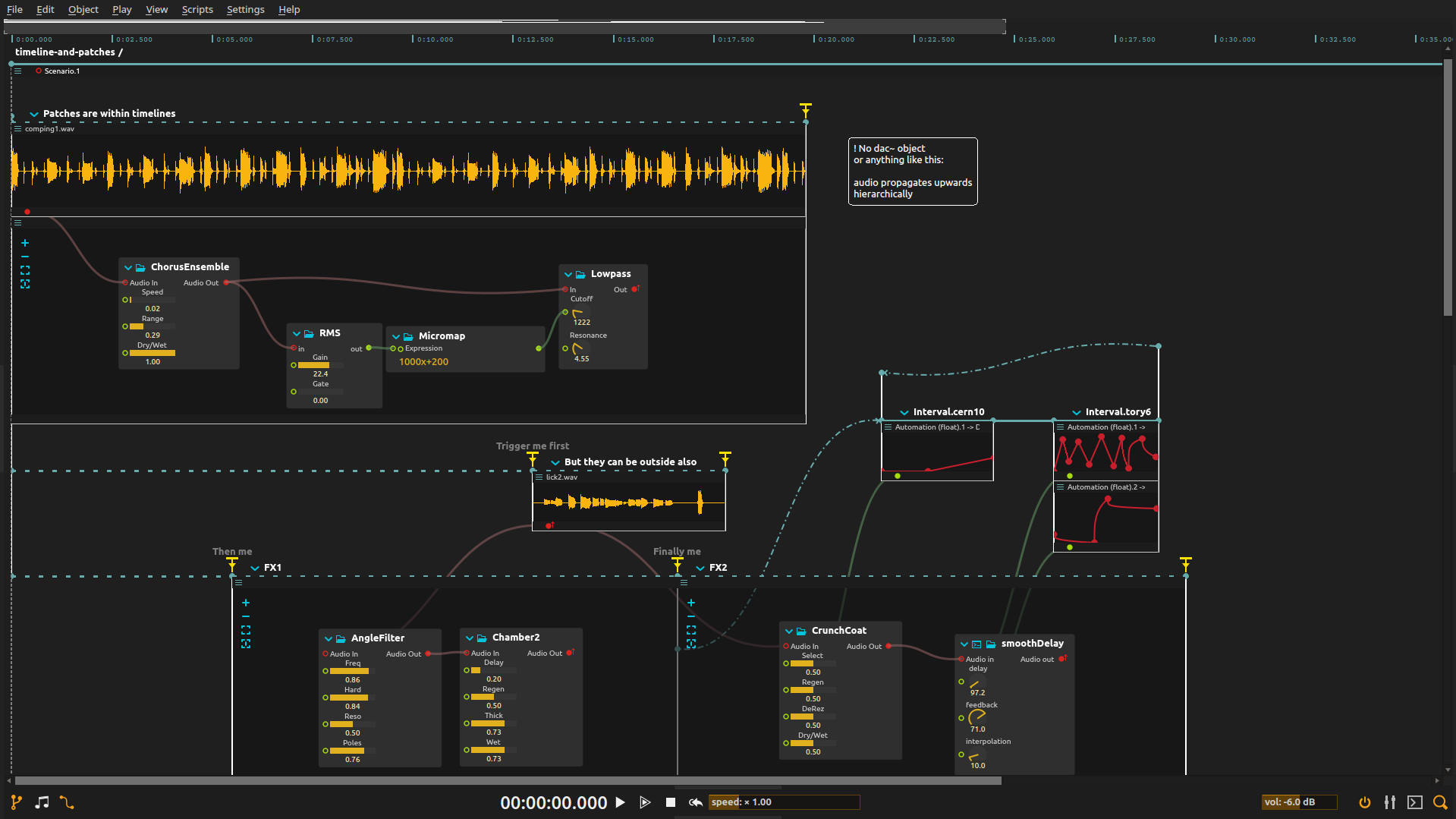
Keep a sound playing while changing which effects are active around it. The timeline sets when each effect runs, as well as its settings.
Overview
The first passage keeps a sound and its effects in one interval: they share a lifetime. The second separates the source from two effect intervals, letting you activate and end them independently.
Cables define where audio can go; intervals determine when the connected processes run. A passage can therefore move between treatments without restarting its source.
Try it
Open the ZIP directly in score, configure audio output at a low level, and ensure Faust and Airwindows are available. The sounds are included.
- Play the first interval and alter its filter automation. Listen to a change within the passage while the source and effects remain active together.
- Activate
Trigger me first, thenThen me. Listen for the treatment that appears when the effect interval starts, even though the source already began. - Activate
Finally meto switch to the second effect interval. End the source and the effects separately: ending the source removes the input, while ending an effect removes its processing. - Switch between timeline and nodal views. Follow one audio connection in nodal view, then find the intervals that govern its source and destination in the timeline.
Use Ctrl+click or Ctrl+drag in the nodal view to select several processes, then move or copy them together. Cable drags can start from a port’s name as well as its circle. See Editing workflow for replacement, auto-scrolling and nested paste behavior.
Learn more
- Scenario - Timeline and scenario container reference
- Audio routing - How audio signals flow through the system
- Audio plugins - VST, Faust, JSFX and other effect formats
- Automation - Parameter automation over time