PureData Integration
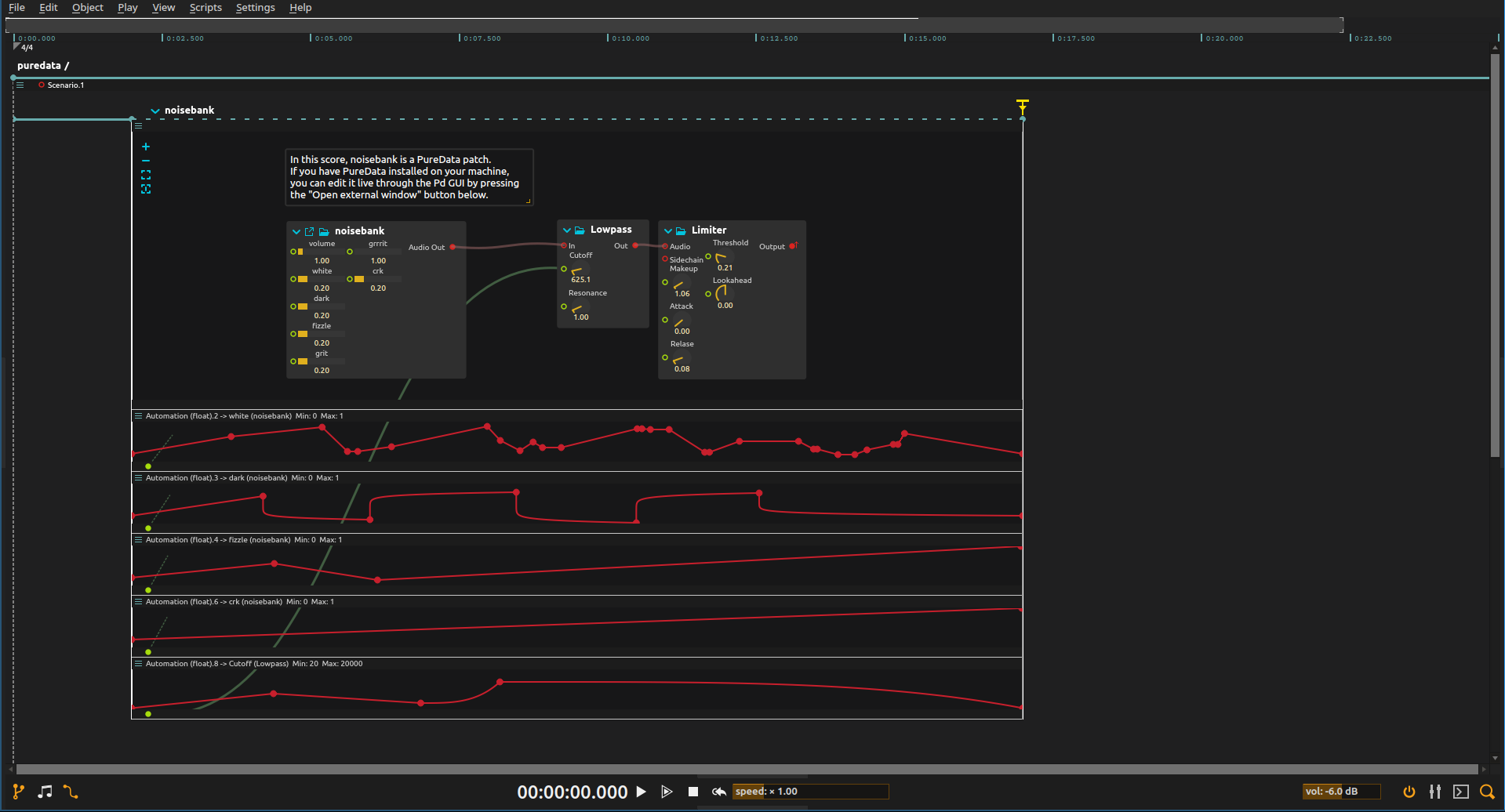
Build a passage from noise instead of notes: rough, fine and darker textures rise and recede as separate layers, shaped by timeline curves that control a Pure Data sound generator.
How the patch is controlled
The noisebank patch generates the sound. Automation changes four of its texture controls, while a separate lowpass curve reveals or softens the higher-frequency detail. Sound generation stays in Pd; score handles the timing and shape of each change. This example controls parameters, not MIDI notes.
Setup
Open the ZIP directly in a score build with Pure Data support; the Pd patch is included. The Pure Data application is only needed if you want to open its external editor. Configure audio output and start at a low level.
Try it
- Start playback. After the initial two-second interval, listen to the noise texture while following the curves for white, dark, fizzle and crk.
- Edit one curve at a time. A slow rise turns a noise layer into a background; short bursts turn it into accents.
- Reshape the lowpass automation without changing the noise controls: this filters the combined sound instead of changing any one texture.
- Use the interval’s end trigger to stop the patch. Its drawn 17-second endpoint is interactive, so the passage lasts until you trigger it.
- With Pure Data installed, choose Open external window to inspect or edit
noisebank.pd. For an adaptation, expose controls in your own Pd generator and shape them with the same timeline approach.
Learn more
- Pure Data integration - Full PureData process reference
- Audio routing - Audio signal flow in ossia score