Gamepad Control
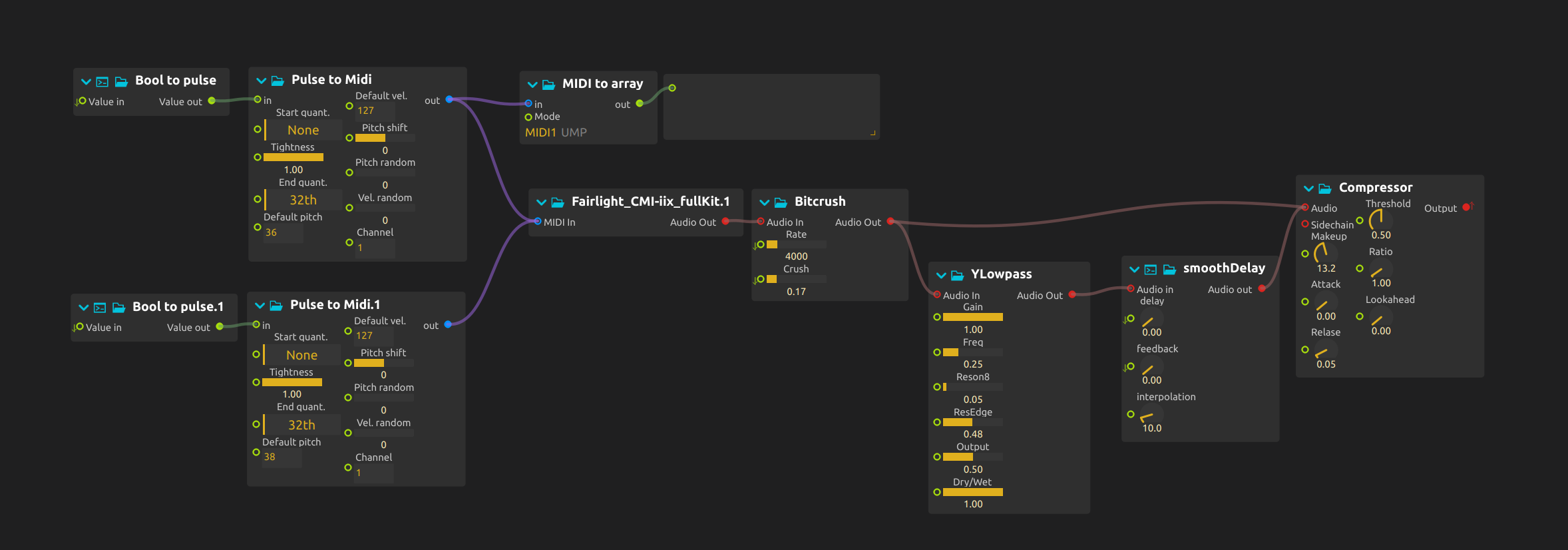
Play a rhythm with the buttons and reshape it with the sticks. The buttons trigger drum attacks; the sticks change the sound continuously between them.
Prepare the controller and samples
- Open the ZIP directly in score; the Fairlight drum kit and its samples are included.
- Connect a gamepad. If
Gamepadis disconnected in the Device explorer, right-click it and select your controller or choose Reconnect. Check that/button/a,/button/band the stick axes change before starting playback. Physical button labels may differ from these standardized names. - Configure audio output and begin at a low level. This patch needs Deuterium, Faust and Airwindows.
Play the patch
Press A and B during playback to play two drum sounds. Alternate them until you have a repeatable rhythm, then keep that rhythm steady while moving one stick at a time.
The left stick controls Bitcrush: horizontal movement changes Rate, and vertical movement changes Crush. Move along one axis first, then diagonally: the drums get grainier and rougher while the pattern stays the same.
The right stick controls delay time and feedback. Begin with low feedback and try short repeats, then lengthen the delay to fill the space between hits. Raise feedback cautiously and leave pauses to hear the echoes decay; changing both axes at once can make a familiar rhythm much denser.
There is no rumble mapping in this patch: the feedback to the performer is audible, not tactile.
Learn more
- Joystick device - Gamepad and joystick device configuration
- MIDI utilities - Converting triggers to MIDI notes
- Working with devices - General device setup guide