Image to point cloud
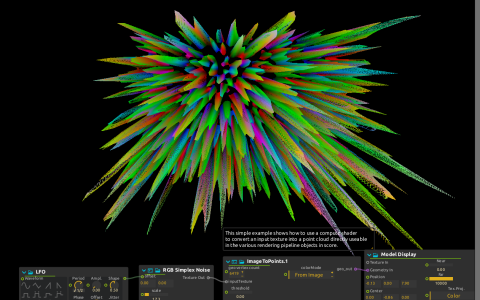
RGB Simplex Noise feeds the ImageToPoints compute shader. ImageToPoints converts the input texture into geometry; native Model Display displays it in point mode and sends the image to Window:/. A small Drift LFO moves the noise offset.
Try it
Start playback, then vary zScale and the Z component of pointScale to change the depth of the cloud. Raise threshold to compare how image samples contribute to the result. The configured vertex count is large (6,419,550), so reduce the workload if necessary before experimenting with high-resolution inputs.
No image file is required because the source is procedural. You can replace RGB Simplex Noise with a texture-producing process to try a different source. This uses a compute shader and native Model Display, not Qt Quick 3D.