Shmdata
Shmdata, developed at the SAT Metalab, is a Unix-oriented protocol for sharing memory between applications easily.
It is mainly used to share video frames.
Thanks to it, score can easily send and receive video data from and to GStreamer for instance.
Compiling and installing shmdata
Refer to the latest instructions on the shmdata Readme. Shmdata is a Unix-oriented optional build dependency, used on Linux and macOS; it is not a Windows texture-sharing protocol. Check that Shmdata Input / Shmdata Output appear in your build. External GStreamer pipelines additionally need the shmdata GStreamer plug-in.
Test that it works correctly with the gst-launch commands given in that Readme.
Using shmdata in score
Create a Shmdata Input and select the producer’s socket path, then assign it to a texture inlet. For Shmdata Output, set Shmdata path, Width, Height and Rate, and assign the device as the destination of a texture outlet. The socket paths must agree between score and the external process.
The output publishes raw RGBA video frames through shared memory after GPU readback. It is not compressed video, network transport or DMA-BUF sharing. Input caps describe the incoming format; accepting a YUV input does not mean the output automatically uses that format.
See GStreamer for running pipelines inside score, PipeWire video for Linux negotiated GPU/shared-memory streams, and Video formats and color for color and alpha considerations.
These examples assume that the shmdata GStreamer plug-in is installed in /opt/shmdata:
Sending data from GStreamer to score:
$ gst-launch-1.0 --gst-plugin-path=/opt/shmdata videotestsrc pattern=snow ! queue ! videoconvert ! shmdatasink socket-path=/tmp/score_shmdata_input
Sending data from score to GStreamer:
$ gst-launch-1.0 --gst-plugin-path=/opt/shmdata shmdatasrc socket-path=/tmp/score_shmdata_output ! videoconvert ! xvimagesink
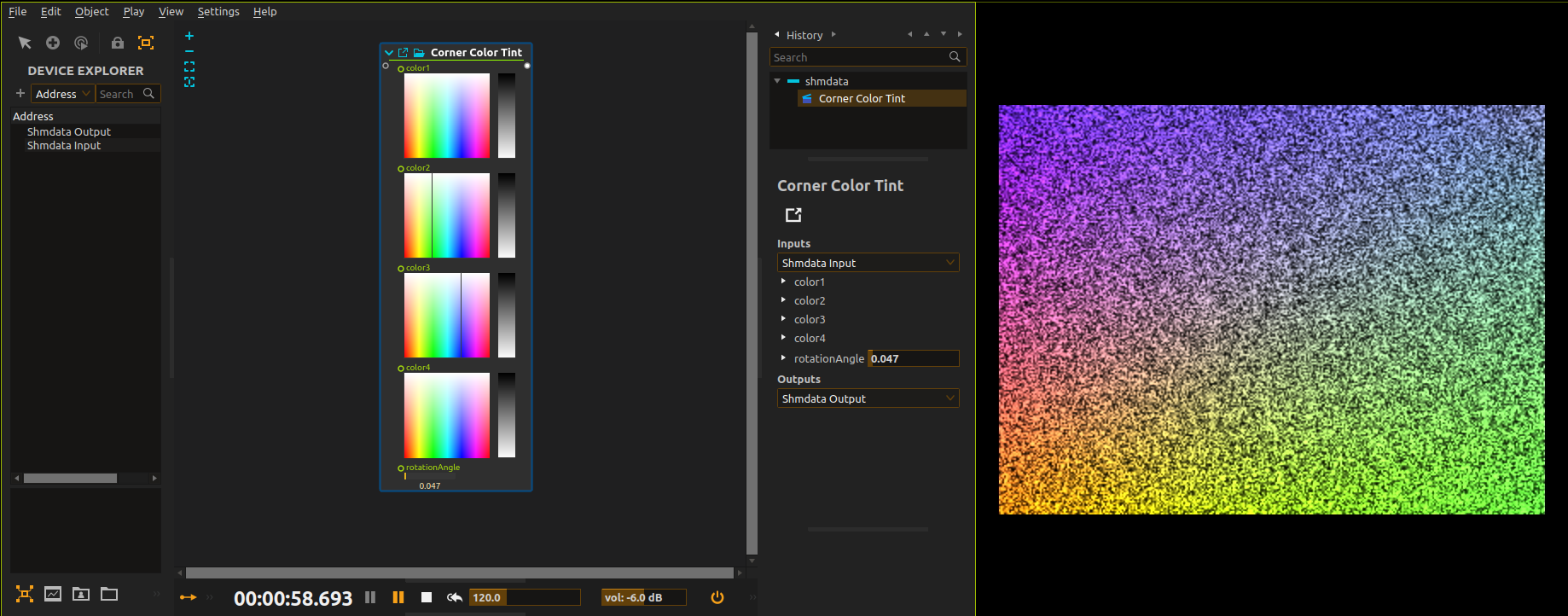
Here is a score that would process the input and write it to the output.
-
Input device (receives the GStreamer feed):

-
Output device (sends the feed to GStreamer):

-
The score and the GStreamer output which shows the processing done by score:
Recording score’s video output
Here is a GStreamer command-line which will encode the shmdata output as .mkv with relatively low quality:
$ gst-launch-1.0 -e \
      shmdatasrc socket-path=/tmp/score_shm_video \
    ! queue \
    ! videoconvert \
    ! videorate \
    ! video/x-raw,framerate=60/1 \
    ! x264enc \
    ! matroskamux \
    ! filesink location=foo.mkv
Or as .mov encoded in Apple ProRes (warning: very, very CPU hungry):
$ gst-launch-1.0 -e \
      shmdatasrc socket-path=/tmp/score_shm_video \
    ! queue \
    ! videoconvert \
    ! videorate \
    ! video/x-raw,framerate=60/1 \
    ! avenc_prores_ks \
    ! qtmux \
    ! filesink location=foo.mov