Text to deformed mesh
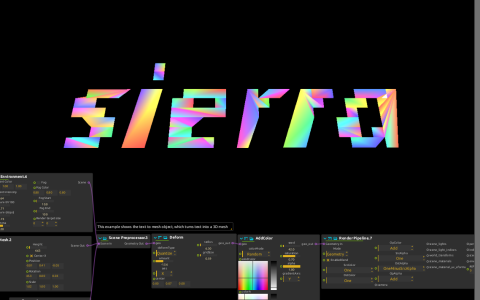
Text to Mesh starts with the word sierra, using bold italic text and an extrusion height. Scene Preprocessor combines it with Camera and Environment. Deform then modifies the flattened geometry, AddColor adds colour, and the native PBR Render Pipeline sends the result to Window:/.
Try it
Start playback and replace the Text value with a short word. Adjust Height to change the extrusion, then Deform’s amount and radius to compare the undeformed and warped outlines. The font available on your machine can affect glyph shapes.
No external model is required. The AddColor and Deform code is stored in the document with source references to score-csf-testers. A separate bit-glitch volume generator is present but has no cable to the displayed graph; it is not responsible for the text deformation. This is native mesh rendering, not Qt Quick 3D.