Object filter
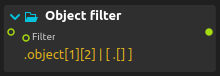
Object filter selects and reshapes structured values using Jk, a subset of the jq query language. Use it to extract a tracked coordinate, route an object by its state, or turn a list of records into the values needed by another process.
The canonical syntax and compatibility reference is jq and Jk.
Using the process
- Install the Jk add-on through Add-ons if Object filter is not available in the process library.
- Connect a map, array or other score value to Input.
- Enter a query in Filter. Start with
.to pass through the input, then select a field such as.position[0]. - Connect the output to the process or device parameter that should receive the result.
Each query result produces a separate output event. For example, .[] emits the elements of an input array individually, while [.[] | .name] collects names into one array. select(.state == "confirmed") passes through matching objects and emits nothing for other states.
Strings containing JSON are not automatically decoded. Use Value serialization upstream when the source sends serialized text instead of a map or array. An invalid filter disables output; a runtime error stops the remaining results for that message without retracting values already emitted. See the runtime limits before using large queries during playback.
Supported syntax and example programs
The syntax tables, corrected slice examples, built-in functions and compatibility limits now live in the jq and Jk language reference.
- Navigation and slices: fields, indices, ranges and nested objects.
- Construction and selection: arrays, objects, arithmetic and conditional filtering.
- Supported built-ins: functions available in Jk, rather than the full jq language.
For a working score, see Math expressions and structured objects.