Basic Timeline Example
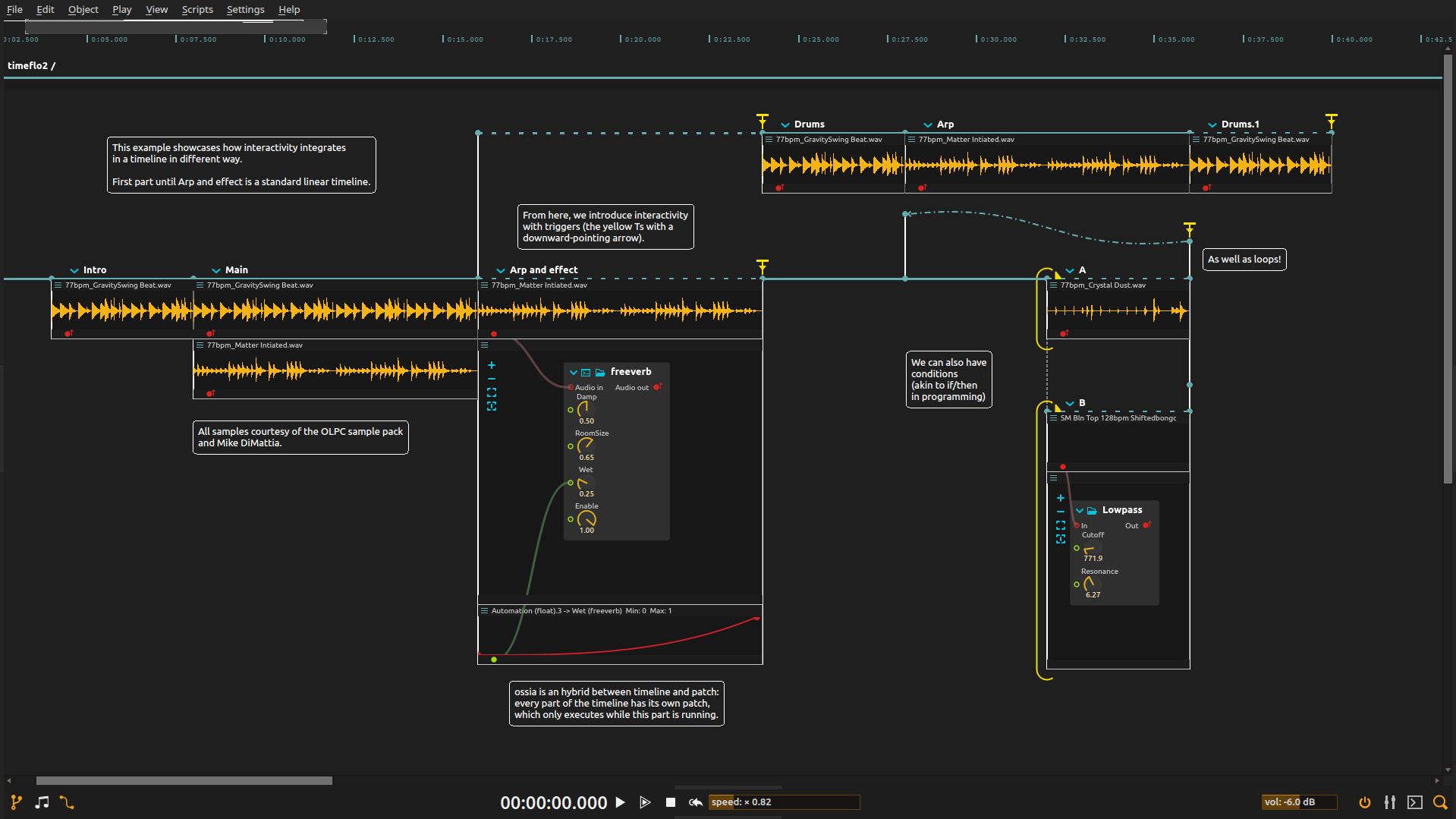
Build a sound composition that can pause for a performer instead of following a fixed playhead from beginning to end. Audio clips and automated reverb establish the material; interactive endings, parallel branches and a loop let you decide how the piece moves through it.
Overview
An interval gives a sound or effect a period of activity. Some intervals run for a fixed duration; others wait for you to end them. A following passage starts from that actual ending, so taking more time in one passage changes the timing of what follows.
The parallel branches let one part continue while another waits, so the whole composition does not have to pause together.
Try it
Open the ZIP directly in score and configure audio output at a low level. The audio is included; Faust support is needed for the reverb. The patch credits the OLPC sample pack and Mike DiMattia.
- Play the arrangement once, then change the reverb automation. Listen for where the space opens up or becomes drier within a sound.
- Hold a waiting interval longer before using its end trigger. The sounds that follow it start later; the parallel branch carries on unaffected.
- Change B’s false condition to include the otherwise inactive branch. Try the shared end trigger and watch the loop return to an earlier time sync: a condition chooses participation, while a trigger chooses when to continue.
- Replace one sound with your own, then adjust its interval to fit the new material, or make its ending interactive to release it by hand.
Use the final drum end trigger or Stop when finished.
Learn more
- Scenario - Timeline and scenario container reference
- Soundfiles - Audio file playback process
- Automation - Creating parameter automation curves
- Faust - Faust DSP effects like freeverb