Procedural PBR material
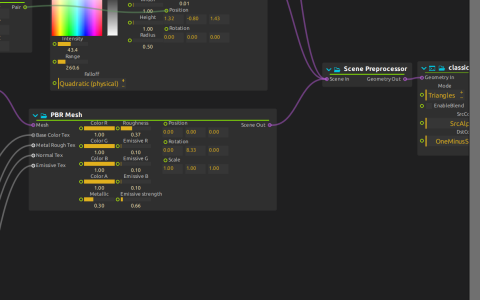
A Cube feeds PBR Mesh. NoiseAnimationElectric supplies base colour, Smoke_noise_MsdGWn supplies metallic/roughness, MakeMyNoiseTheP-Flow2 supplies the normal texture, and Simplex Noise supplies emissive texture. Scene Preprocessor combines this mesh with a Camera and Light. The classic PBR Render Pipeline renders the scene, then Bloom sends the image to Window:/.
Try it
Start playback and inspect each texture cable entering PBR Mesh. Change Roughness and Metallic, then Emissive strength and Bloom threshold, to separate material response from post-processing. The LFO passes through 10x and a Vec3f control to animate the light’s Y position.
This is the native scene pipeline, not Qt Quick 3D. No external model is needed. The shader code is stored in the score; saved source paths refer to the default shader package under ossia/score/packages/default/Presets/GLSL_shaders, not to a required movie or image.