MIDI Pattern Sequencer
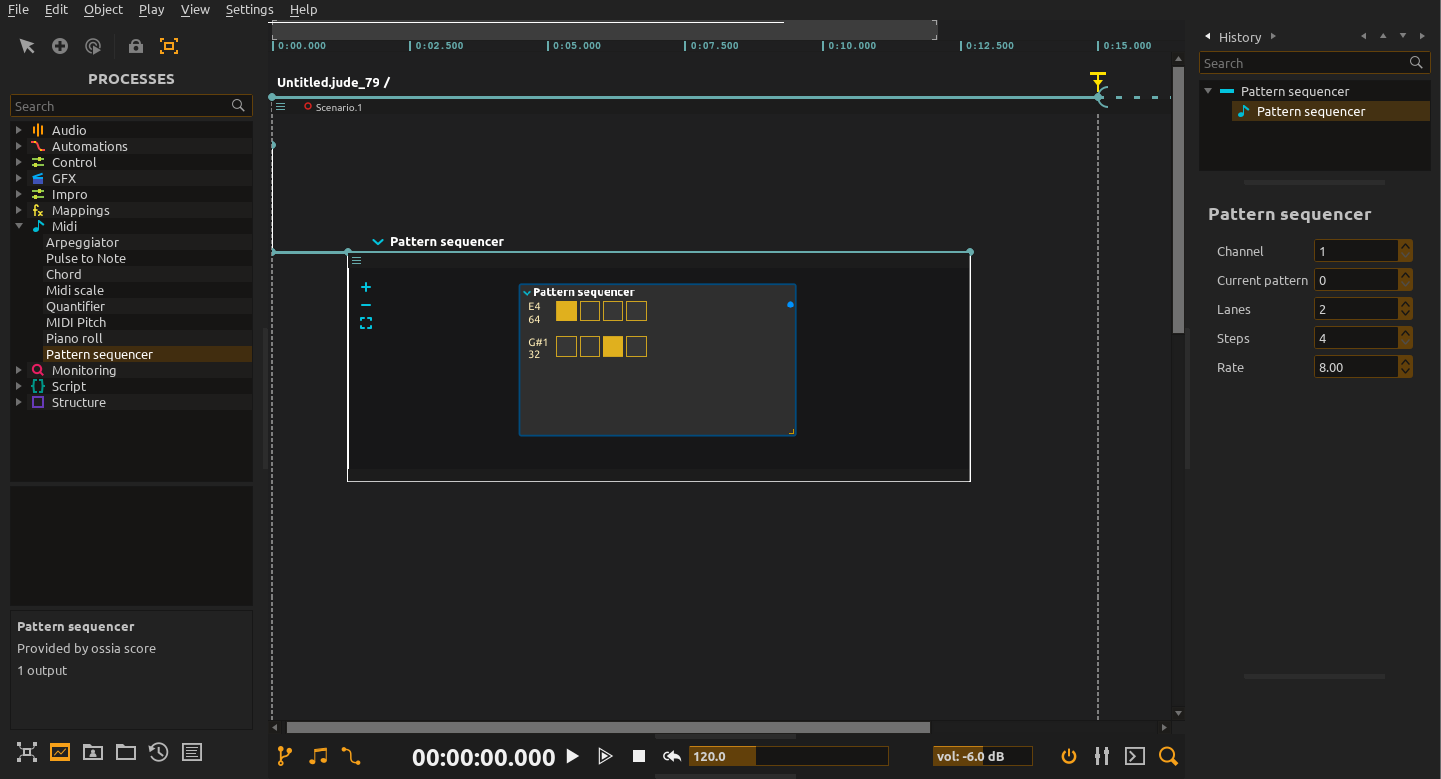
A classic MIDI pattern sequencer. On the left of the sequencer, there is the actual note of the lane with a corresponding number. Each column is one step at the selected Rate, not necessarily a whole measure. Activate a step to play that lane’s note.
The note corresponding to each lane can be changed by clicking on it and dragging.
This process can have multiple distinct patterns which can be switched.
Channel
On which MIDI channel the output goes.
Pattern selection and quantization
Pattern and Quantization are exposed as control inlets, including in the folded node view. Pattern is a zero-based index and stays synchronized with the inspector’s current-pattern selection. Selecting a new pattern in the editor grows the pattern list; prepare patterns before automating their selection during playback.
Quantization controls when a requested pattern change becomes audible: Free switches at the next processing tick; 8 bars, 4 bars, 2 bars, 1 bar, and 1/2 through 1/32 wait for the next corresponding musical grid point. It does not change the step rate.
For example, make patterns 0 and 1, choose 1 bar, then cable an integer control to Pattern to switch variations on bar boundaries. The editor shows the requested pattern even while the playing pattern is waiting for its switch.
Lanes
Each lane corresponds to one MIDI note.
Step
How many steps there are in a pattern. The minimal amount of steps is 4 and the maximum is 32.
Rate
To which musical declination corresponds a step: quarter note, 16th note, etc.
Outputs and playback
Connect MIDI Out to an instrument or MIDI output device; Patternist does not generate sound itself. Accent and Slide are separate value outlets for the corresponding special lanes.
The current step engine follows reverse timeline execution as well as forward playback, and releases held notes when the process stops. This does not reverse the sound produced by a receiving synthesizer.
Workflow tips
Start simple: Begin with basic 4-step patterns before experimenting with complex polyrhythms.
Think in layers: Build patterns one drum sound at a time rather than trying to program everything at once.
Use standard drum maps: Stick to General MIDI drum note numbers for compatibility with most drum software and hardware.
Test timing: Verify that your patterns align correctly with the musical timing before building complex arrangements.