Smoothing and filtering
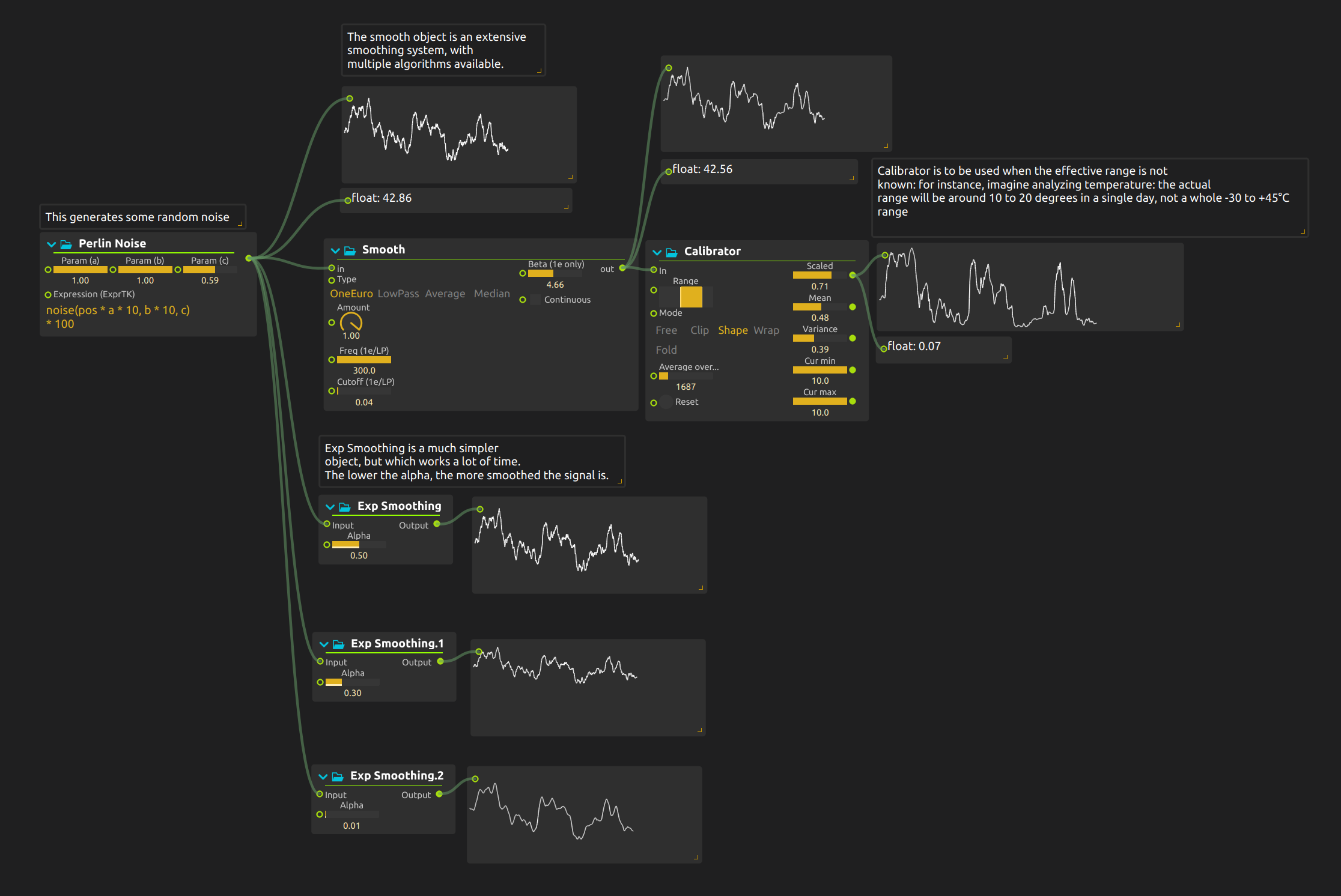
Several displays show the same noisy signal with different amounts of smoothing, so you can see how much motion each filter removes and how much delay it adds.
Smoothing and calibration
Generated noise stands in for live input. Parallel filters show the raw signal next to a One Euro filter and three exponential averages. A separate calibration stage takes the One Euro result and adapts it to an output range. Smoothing changes how the signal moves; calibration changes the range it occupies.
Try it
- Start playback in nodal view. The example needs no sensor, media or audio output: the result is visible in the Signal and Value displays.
- Watch the three Exp Smoothing curves against the raw input. Their Alpha values are 0.5, 0.3 and 0.01. Lower Alpha removes more rapid variation but follows changes more slowly: 0.01 suits a slow lighting fade, 0.5 a quick movement.
- Adjust Smooth’s One Euro settings while watching its curve beside the raw signal. Look for a setting that suppresses small fluctuations without losing larger changes you want to retain.
- Change Calibrator’s output Range: the values after it move into the new range while keeping the same shape.
- Change a noise parameter, then press Calibrator’s Reset. Watch the calibrated result as it learns the changed input range instead of assuming the old range still applies.
To adapt it, replace the generated noise with your sensor data and check the raw and filtered paths before connecting the final control. The saved score does not control a sound or light.
Learn more
- Smooth - Smooth process
- Exp Smoothing - Simple exponential average
- Calibrator - Adapt to live input with unknown or variable range over a time span