MIDI controls for a shader
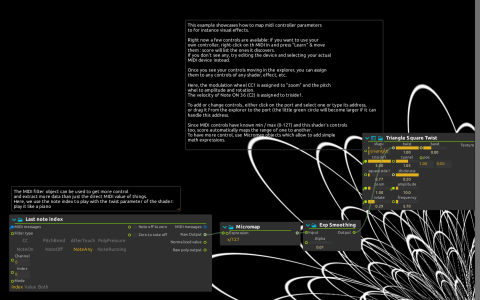
Triangle Square Twist generates an image directly to Window:/. The patch uses score’s native ISF shader processing, not Qt Quick 3D, and needs no video or model file.
Connect and play
- With playback stopped, right-click
MIDI In, choose Edit and select your actual MIDI input. The saved default port may not exist on your machine. - Use Learn on that device and move your controls if their addresses are not present. Confirm values change in the Device explorer before starting playback.
- Start playback and send channel 1 CC1:
MIDI In:/1/control/1controls zoom. Channel 1 pitch bend controls both rotate and amplitude. - Send note 36 on channel 10. Its note-on velocity at
MIDI In:/10/on/36controlstriside1; this is a different channel from the wheel mappings. - Play a run of notes. Midi filter reads the whole
MIDI In:/stream and extracts note indices. Micromap divides by 127, then Exp Smoothing with Alpha 0.01 drives twist.
The direct port bindings use the device parameter domains; the twist branch demonstrates an explicit conversion and smoothing instead. To assign a different controller, drag its learned address onto the shader inlet or edit that inlet’s address. This example makes visuals only, even though it receives MIDI notes.