Switch audio and video pipelines
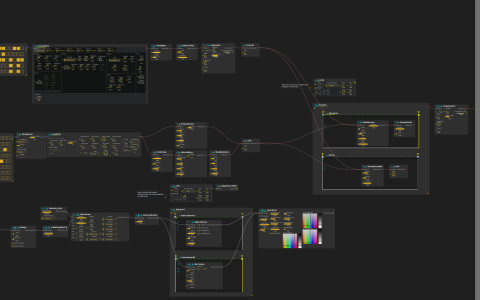
Use address-driven scenario triggers to switch effects in a generative audiovisual patch.
Setup
Use a score build with Synthimi/Kaboom, Airwindows and Faust, and the default shader library. Configure audio output at audio:/out/main and begin at a low listening level. No external media is required: pattern sequencers drive the instruments and shaders generate the visuals.
The OSC device listens on UDP 9997 and sends to 127.0.0.1:9996. Its /video_switch and /audio_switch parameters are written inside the patch and read by scenario conditions; an external controller is not the source of the saved modulation.
Follow the switching
ParticleZoom, Collage and motion blur are mixed with Barnsley_Fern, then posterized. Two triggered intervals choose Edge Blowout when OSC:/video_switch > 0.5 or Dot Screen when it is below 0.5; both feed VHS Glitch and Window:/. Move the output-window cursor to change ParticleZoom.
The square LFO passes through Repetition Filter before writing the video switch, quantized at 0.25. A sample-and-hold LFO writes the audio switch with quantification 1: the audio scenario selects Chorus or Distortion around the same 0.5 threshold. The document labels these changes as beat and bar switching respectively. Listen for changes between ChorusEnsemble and the HardVacuum/ChromeOxide chain while watching the active intervals. A compressor and limiter follow the audio scenario.
Edit the LFO quantification or trigger thresholds to change the switching rule; changing an effect parameter alone does not change which interval runs.