Sensors2OSC phone control
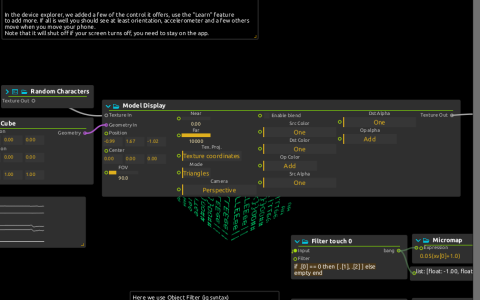
This variant of the OSC scene example includes extra Value displays after the two touch mappings. It uses score’s native Cube → Model Display rendering and ISF effects, not Qt Quick 3D.
Connect the phone
- Install Sensors2OSC on Android and connect the phone to a network that can reach the computer.
- In the app, set the destination to the computer’s LAN address and UDP port 9000. Do not use
127.0.0.1on the phone: that refers to the phone itself. score’ssensors2OSCdevice listens on0.0.0.0:9000; allow this port through the firewall. - Enable sensor transmission, including rotation vector and touch. Check
sensors2OSC:/rotationvectorand/touchin the Device explorer for incoming values. - Start playback and rotate the phone. Smooth filters the rotation components with One Euro smoothing; Arraymap multiplies them by 360 and sends them directly to Cube’s Rotation. It does not convert a quaternion into Euler angles.
- Use the app’s multitouch surface.
/touchmessages have the shape[finger index, x, y]. Object filters separate fingers 0, 1 and 2. The first two drive Noise Displace via Micromap; the third is shown only in a Value display.
The displays after Micromap show 0.05(x+1.0) and 0.2(x+1) before those values reach the image effect. Compare them with the raw coordinate displays when adapting the input range.
Random Characters generates the cube’s texture. Model Display → Noise Displace → Color Controls produces the final image at Window:/; hue also reads the first rotation-vector component directly. No image or 3D model file is required. The saved remote OSC destination 127.0.0.1:9996 is unused by these input mappings.