Contemporary music and live electronics
Write the electronic part of a piece for instruments: cues triggered from a pedal or a MIDI controller, live processing of the instruments, spatialisation, and a score that waits for the performers. Free and open-source, on Windows, macOS and Linux.
Free and open-source (GPLv3) · Windows, macOS, Linux, Raspberry Pi and web browser
ossia score comes from research on interactive scores for music, started at LaBRI and SCRIME in Bordeaux with the i-score project (project history). It is made for pieces where musicians and electronics play together: the timing is written, but the performers decide when things happen.
What you can do
- A score that waits for the performers: triggers wait for a pedal, a MIDI note, an OSC message or a threshold on the audio input, and conditions choose between branches (breaking the timeline).
- Cues from the stage: MIDI pedals, keyboards and controllers, or a keyboard key, start each section (MIDI input, cues).
- Live processing of the instruments: Faust, VST, VST3, CLAP, LV2 and JSFX effects, built-in effects, and recording of the instruments into the score (Faust, audio plug-ins, audio recorder).
- Listen to the instruments: envelope following, beat tracking and audio descriptors drive processing, sound files, video and light (envelope follower, analysis).
- Keep your Pure Data patches: run them inside the score, or control them over OSC with libossia (Pure Data).
- Spatialise: DBAP, GBAP, trajectories and control of spatialisation renderers, for concert halls and multichannel systems (see spatial audio).
- Musical time when needed: tempo, time signatures and quantization next to free, performer-driven time (musical features).
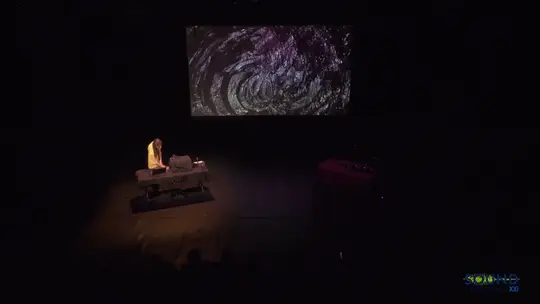
On the Edge, Kasey Pocius, Sound Symposium XXI, St. John's: an audiovisual work for video, T-Stick and surround sound.
Live electronics needs, and how ossia score answers them
| What you need | How ossia score does it |
|---|---|
| Electronics that follow the musicians, not a click track | Triggers and conditions on the timeline wait for pedals, MIDI, OSC or audio thresholds. |
| A part that the next performers can play again | The whole electronic part, with its cues, processing and sound files, is one project file, on every operating system. |
| Rehearsing a passage | Start from any point with Play from here. |
| Processing and spatialising the instruments | Plug-ins, Faust, Pure Data patches and spatialisation in the same score. |
| Video or light in the piece | Video, shaders and DMX lights follow the same cues. |
For electronic music played from synthesizers, sequencers and loops, see live electronic music. See the gallery for concerts made with ossia score, such as Pía Baltazar’s The Ripples of Consequence or Alain Bonardi’s pianotronics #3.
Free and open-source (GPLv3) · Windows, macOS, Linux, Raspberry Pi and web browser