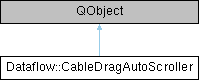
Scrolls a QGraphicsView while a cable is being dragged towards one of its edges, so that a port currently off-screen can be reached. More...
Detailed Description
Scrolls a QGraphicsView while a cable is being dragged towards one of its edges, so that a port currently off-screen can be reached.
A QDrag runs its own event loop and only reports drag-move events when the cursor actually moves, and none at all once the cursor has left the view: a timer keeps the view scrolling from where the cursor really is, while it is inside the edge margins or not too far outside the viewport. After each scroll step the scene point under the (unmoved) cursor has changed, so onScrolled is invoked with the new scene position to let the caller update whatever follows the cursor (the drag line, the magnetic target port...).
Views that implement AutoScrollableView decide how their content moves; the others get their scroll bars moved.
Public Types | |
| using | CursorProvider = std::function< QPoint(QWidget &viewport)> |
| Where the cursor is, in viewport coordinates, for the given viewport. | |
Public Member Functions | |
| CableDragAutoScroller (std::function< void(QPointF scenePos)> onScrolled, CursorProvider cursor={}) | |
| void | track (QWidget *viewport, QPointF scenePos) |
| To be called on each drag-move event. | |
| void | continueFromCursor () |
| To be called when the drag leaves the view: there will be no more drag-move events, scrolling goes on from where the cursor really is. | |
| void | stop () |
| Stops scrolling, e.g. on drop. | |
| bool | active () const noexcept |
| QGraphicsView * | view () const noexcept |
Static Public Member Functions | |
| static QPoint | scrollStep (QPoint viewportPos, QSize sz) noexcept |
| Scroll step for a cursor at viewportPos inside a viewport of size sz. | |
| static bool | scrollViewBy (QGraphicsView &view, QPoint delta) |
Moves the view's content by delta pixels. | |
| static bool | scrollBarsBy (QGraphicsView &view, QPoint delta) |
| The scroll bar fallback of scrollViewBy(). | |
Static Public Attributes | |
| static constexpr int | margin = 32 |
| Distance from the viewport edge, in pixels, from which scrolling starts. | |
| static constexpr int | maxStep = 24 |
| Scroll step per tick, in pixels, reached at the edge and beyond it. | |
| static constexpr int | outsideLimit = 200 |
| static constexpr int | intervalMs = 16 |
Constructor & Destructor Documentation
◆ CableDragAutoScroller()
|
explicit |
- Parameters
-
onScrolled Called after each scroll step with the scene position now under the cursor. cursor Where the cursor is; by default QCursor::pos() mapped into the viewport. Tests inject their own.
Member Function Documentation
◆ scrollStep()
|
staticnoexcept |
Scroll step for a cursor at viewportPos inside a viewport of size sz.
Zero outside the margins; otherwise grows linearly from 1 px at the inner border of the margin to maxStep at the edge, and stays at maxStep up to outsideLimit pixels beyond the edge. Viewports too small to have a useful middle never scroll.
◆ scrollViewBy()
|
static |
Moves the view's content by delta pixels.
Views that implement AutoScrollableView decide how (panning an item, growing the scene...); the others get their scroll bars moved.
- Returns
- true if the content moved.
◆ track()
| void Dataflow::CableDragAutoScroller::track | ( | QWidget * | viewport, |
| QPointF | scenePos | ||
| ) |
To be called on each drag-move event.
- Parameters
-
viewport The widget the scene event was sent to (the view's viewport). scenePos The cursor position in scene coordinates.
Member Data Documentation
◆ outsideLimit
|
staticconstexpr |
How far outside the viewport the cursor may be while scrolling goes on; further away (another window, another panel) the view is left alone.
The documentation for this class was generated from the following files:
- CableDragAutoScroller.hpp
- CableDragAutoScroller.cpp